Use voucher (for user) in portal
Search user by mobile #
- Merchant may only search by mobile number given to them by user making an enquiry.
- Confirm user name is correct and Click in action button to view User.
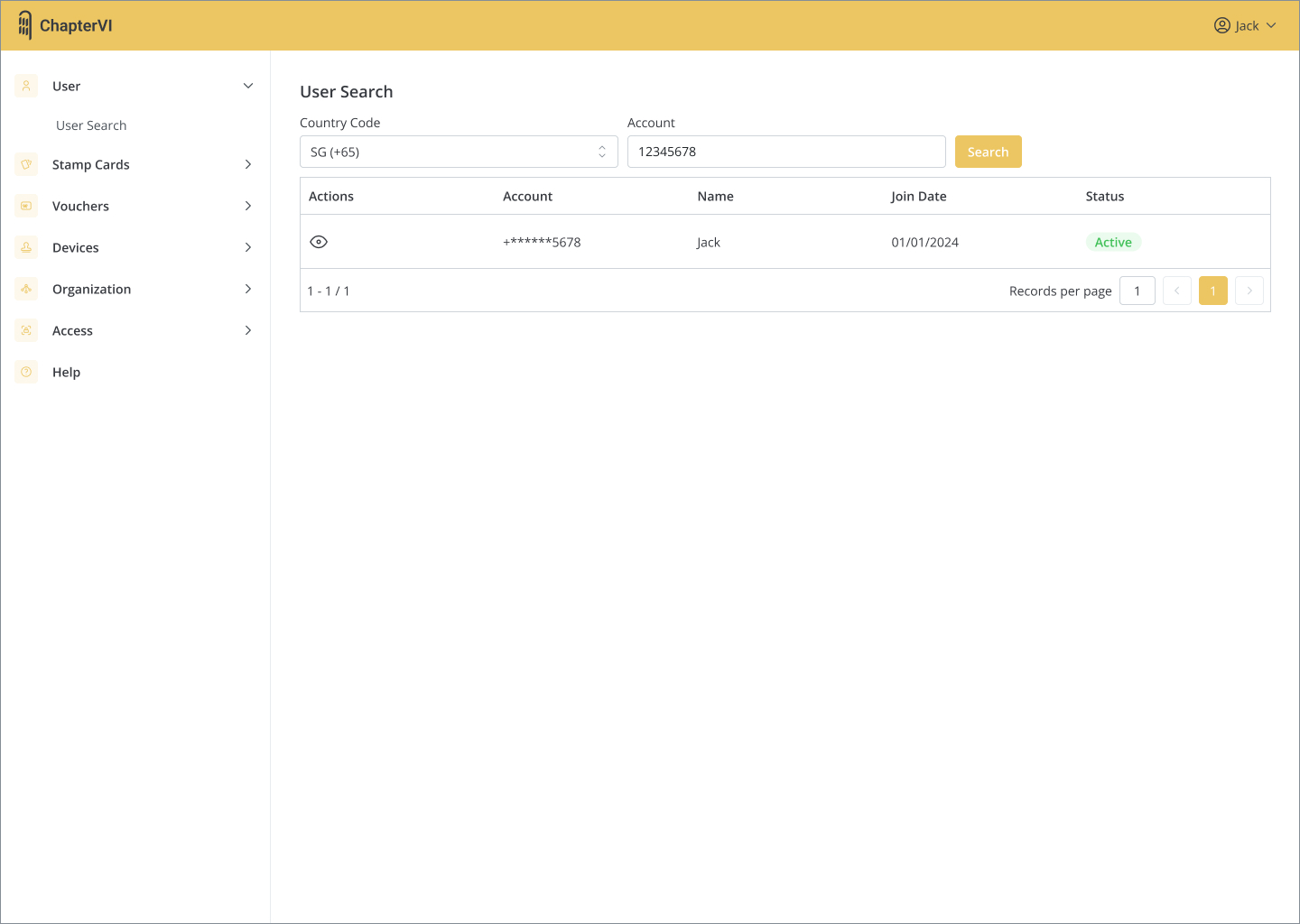
Use voucher (for user) in portal
- If user has a Voucher with the merchant, click and enter “E-Wallet” tab to view Voucher.
- Click in action button to the next step.
- Note that if user does not have any Vouchers with the merchant, merchant will not be able to see their e-Wallet or other details.
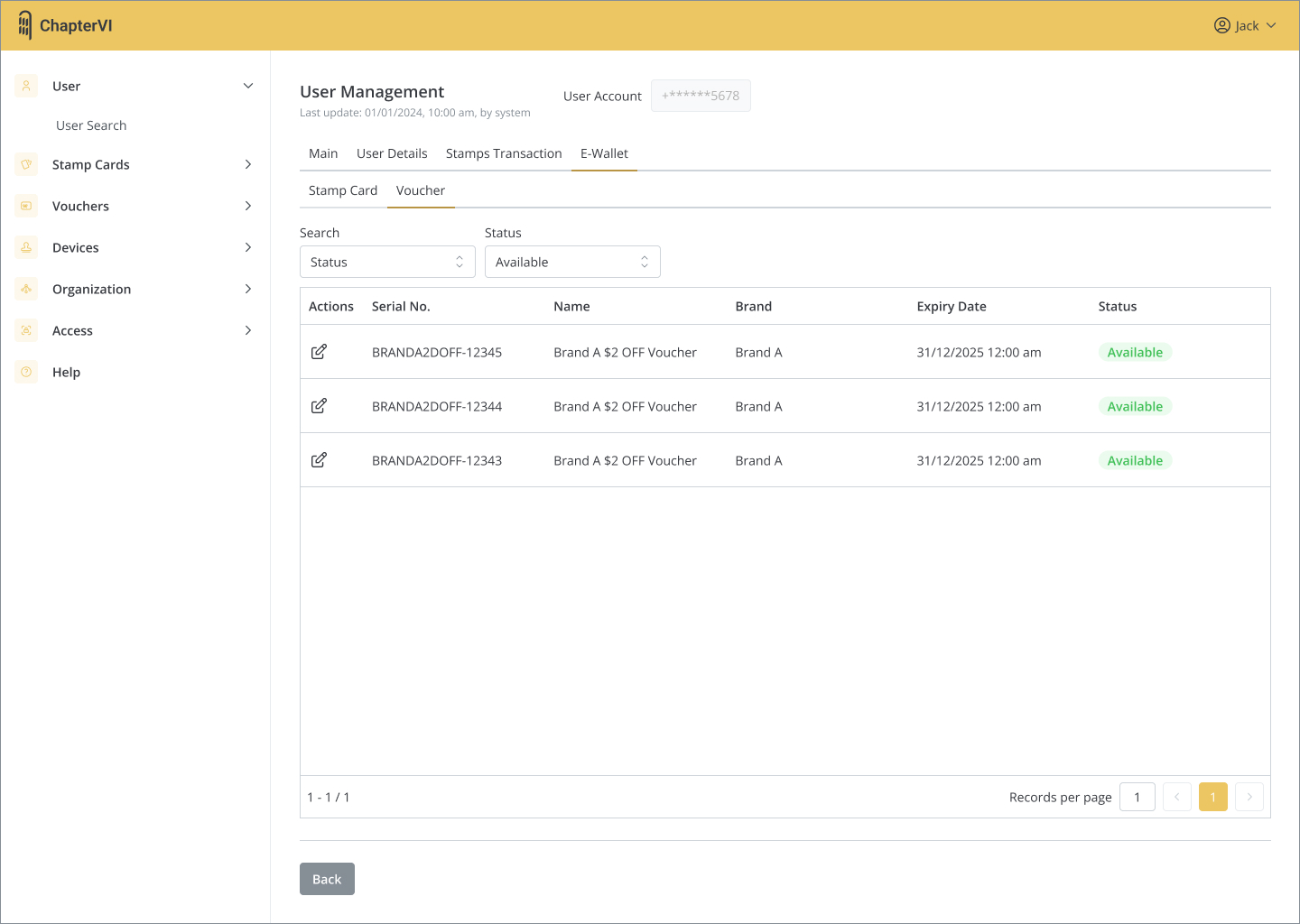
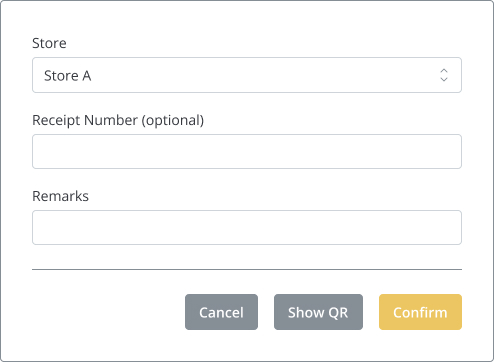
- Select “Redeem” at the bottom of the page.

- Select the right store.
- Other fields are optional.
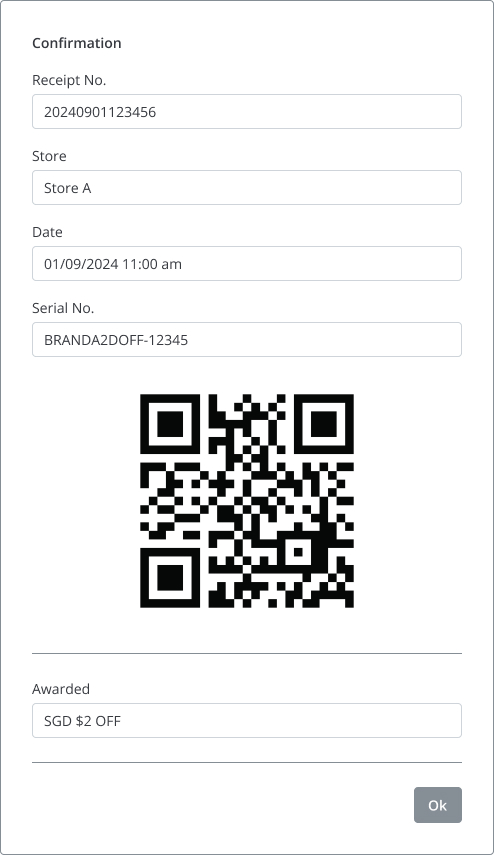
- Click “Confirm” to redeem and view confirmation.
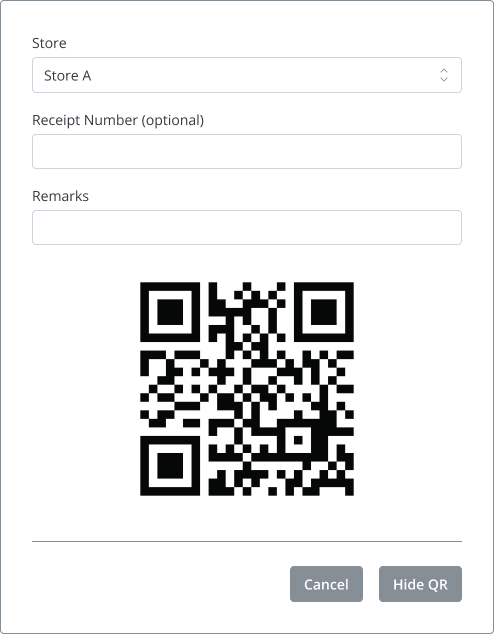
- Another way is to press “Show QR” and then scan to complete the redemption.
- Click “Ok” to close confirmation.
 ChapterVI | First Meta Stamp-ing loyalty platform in Singapore