Push Notications
Set push notification template
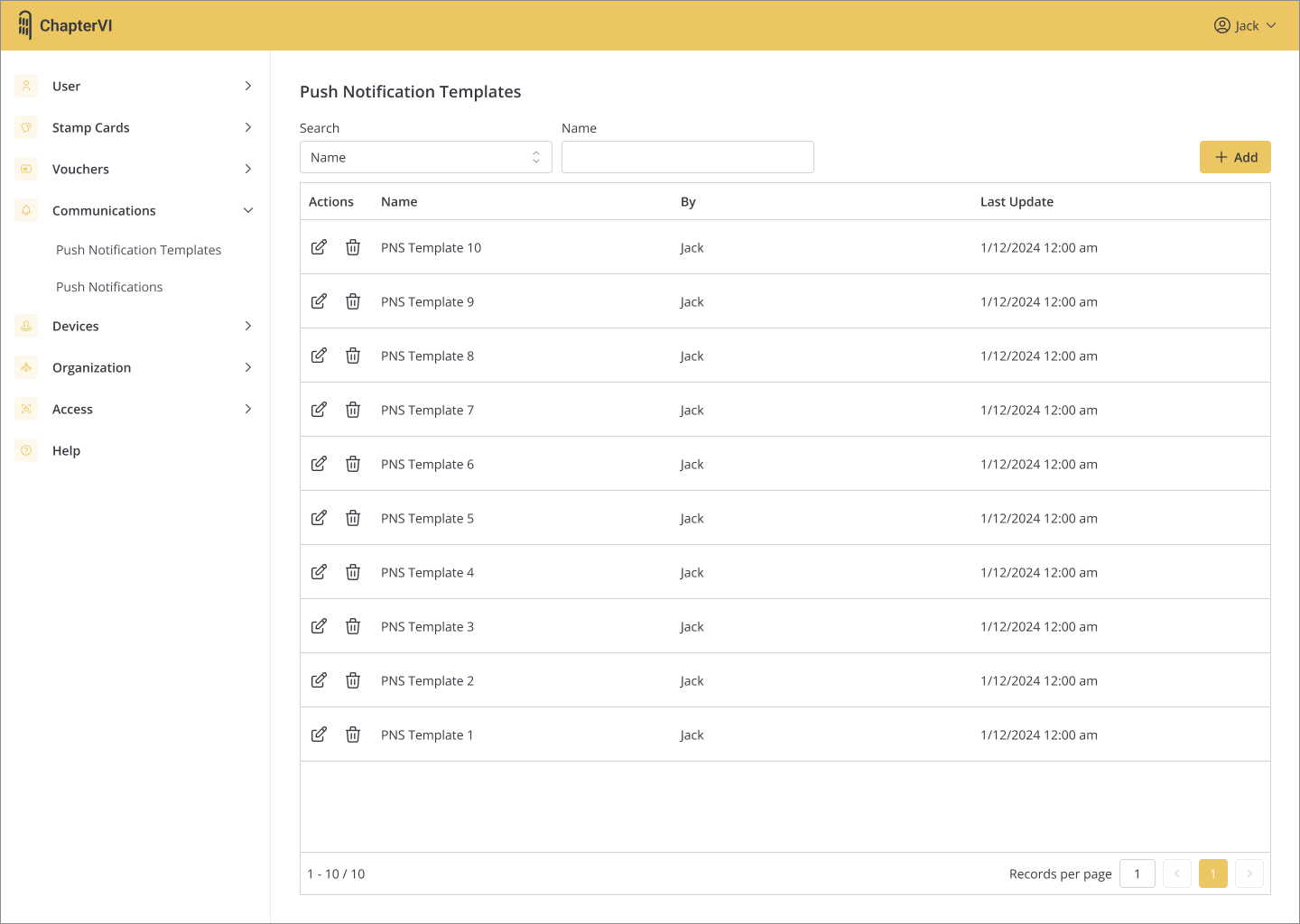
- Find “Communications”→”Push Notification Templates” in the menu.
- Click “Add” to add a Notification Template.
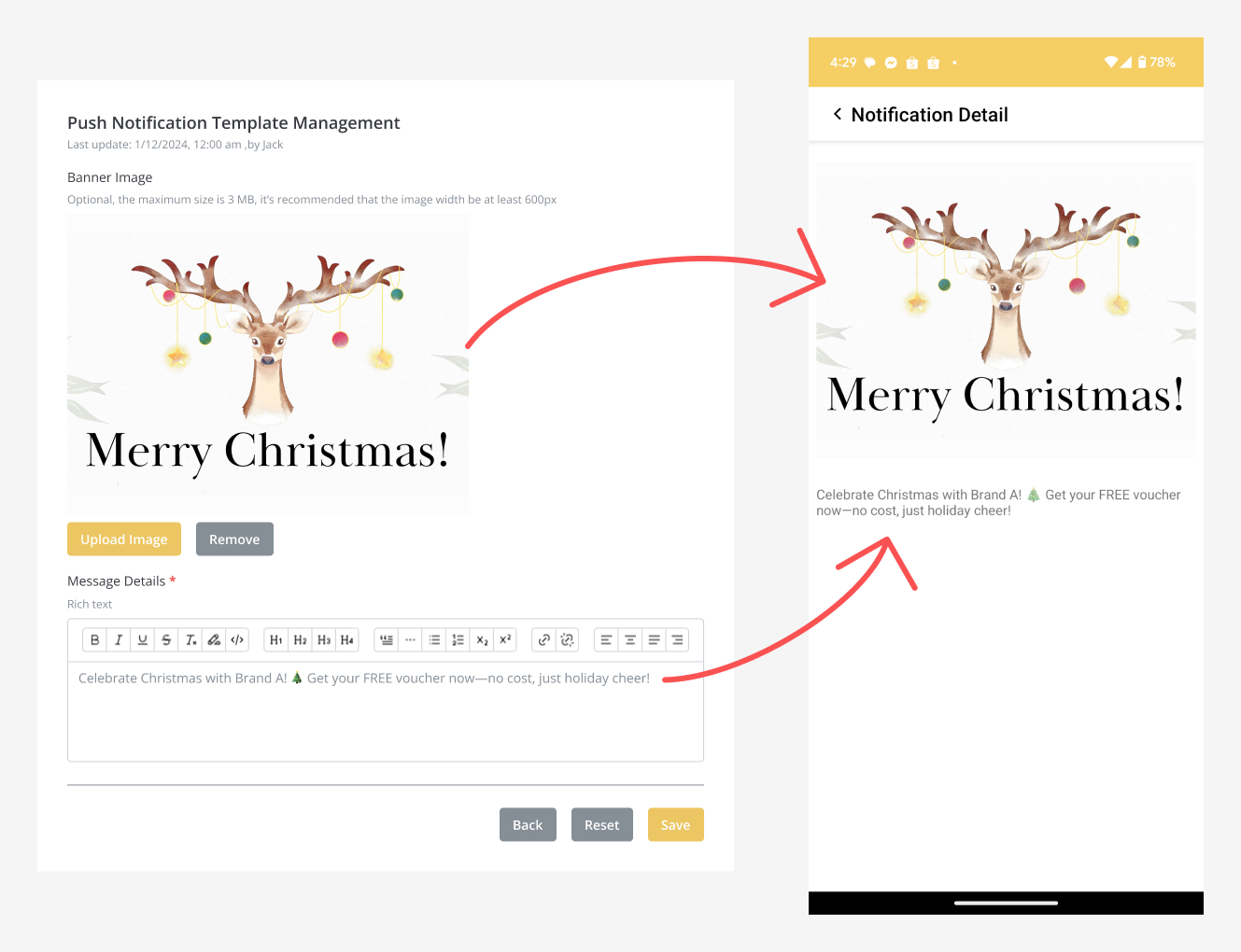
- Fill in the content and the content will be displayed in the app as shown in the picture.
- Press “Save” when finished.
Send Push Notications
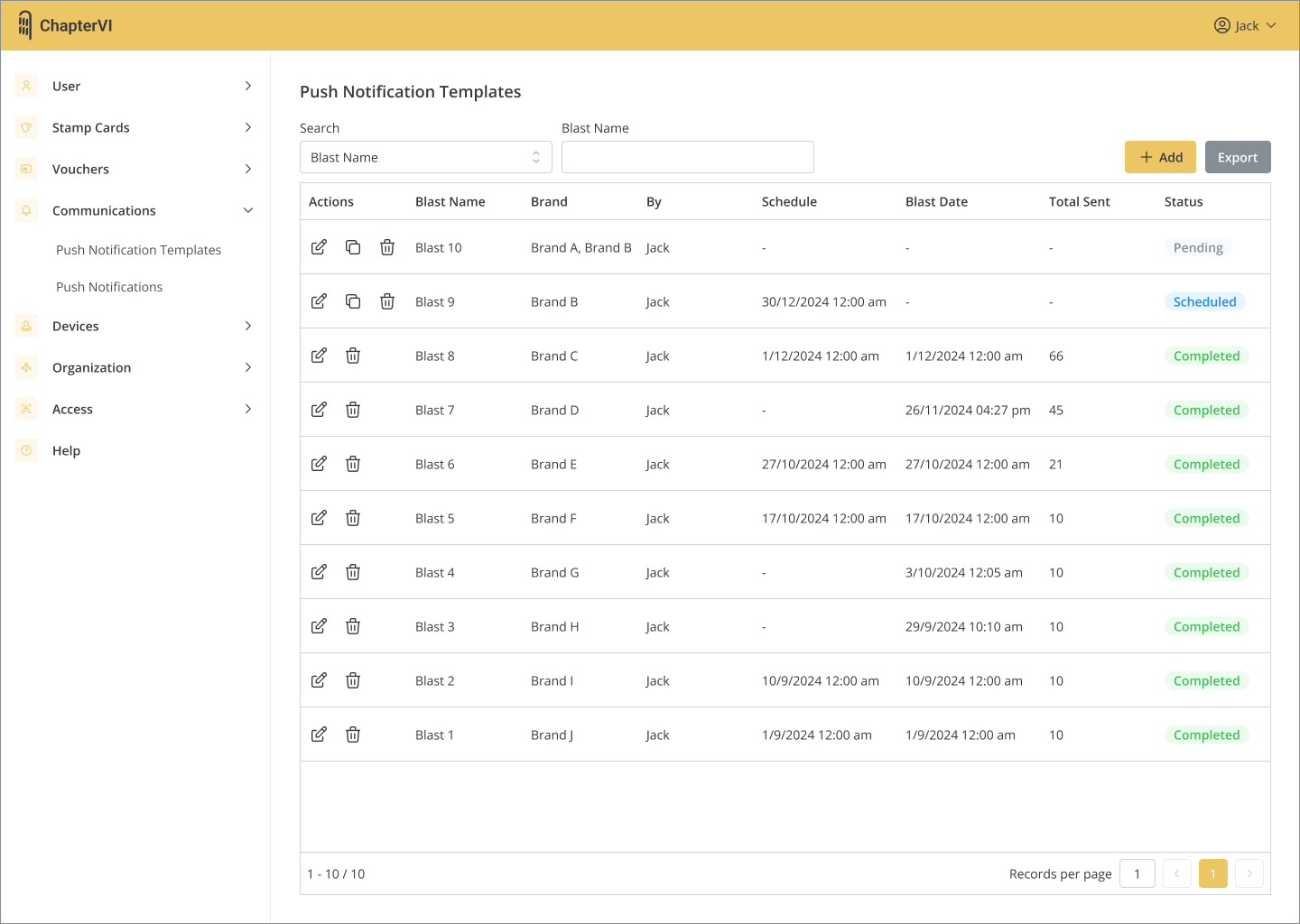
- Find “Communications”→”Push Notifications” in the menu.
- Click “Add” to add a Push Notification.
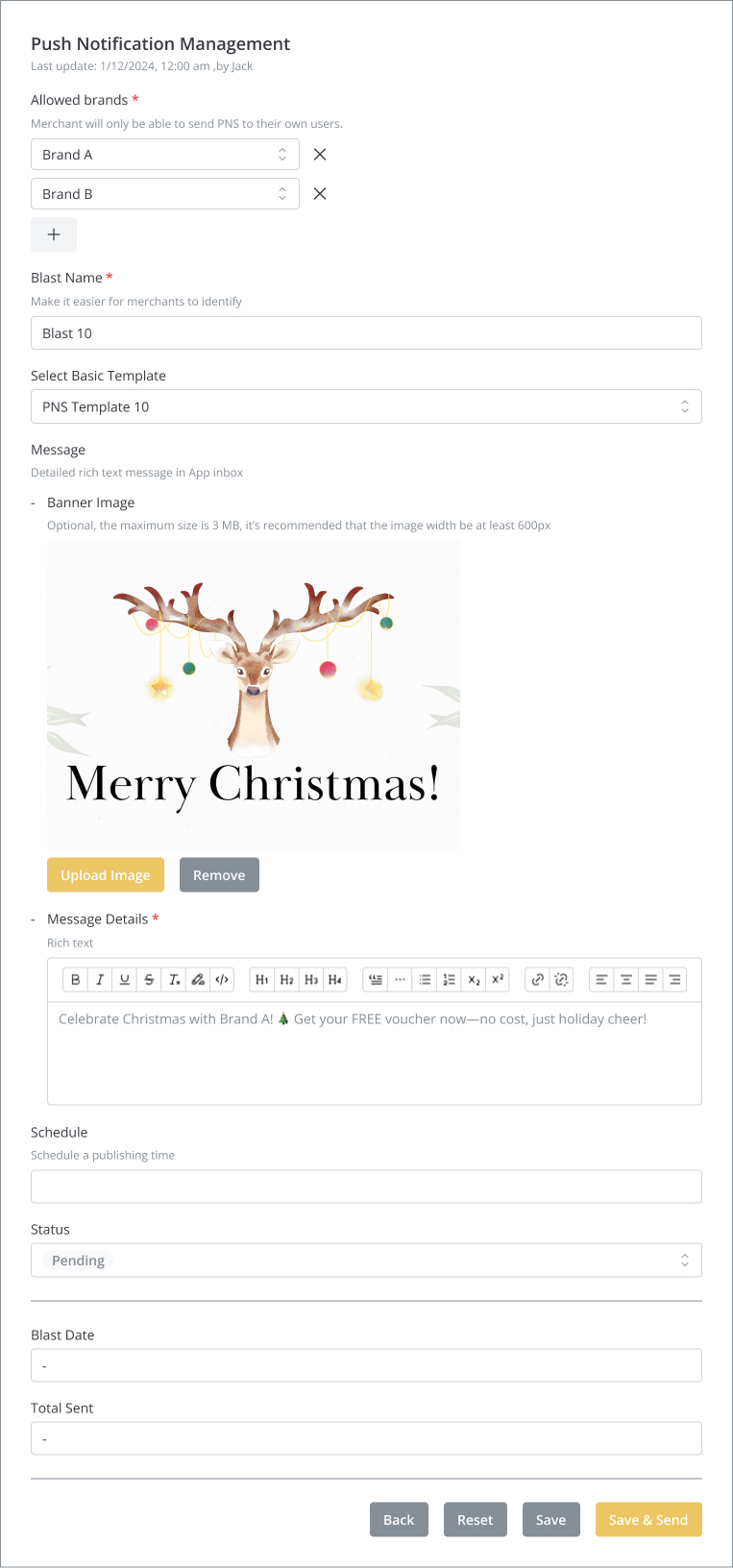
- “Select Basic Template” is optional. You can call out the contents from the Template and modify it without affecting the original Template.
- You can click “Schedule”→”Save” to schedule publishing, or press “Save & Send” to publish immediately.
 ChapterVI | First Meta Stamp-ing loyalty platform in Singapore